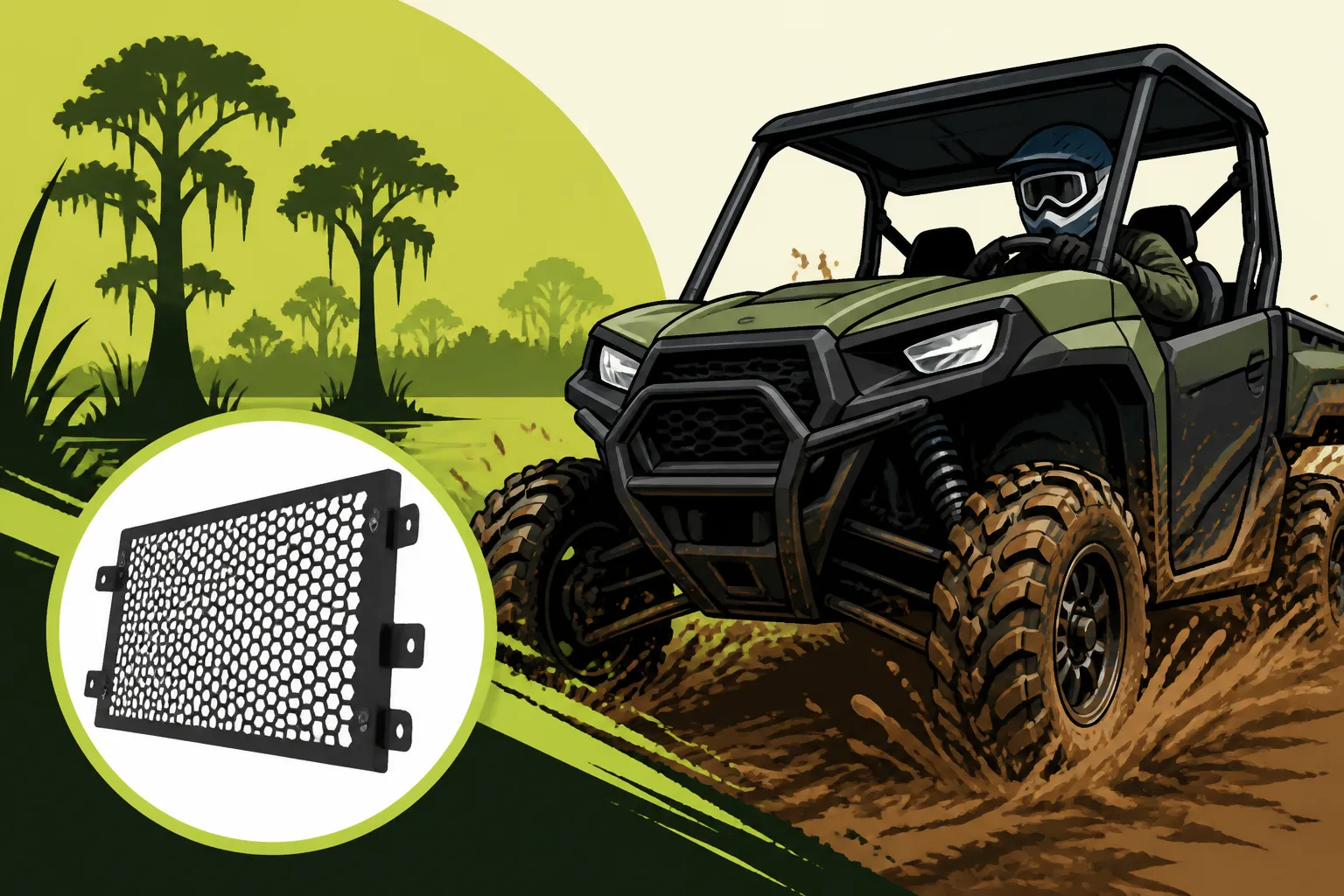
Radiator Screens for Mud
A radiator screen can keep grass, leaves, insects, and clumps of mud from packing into an ATV or UTV radiator, but it can also restrict airflow if it is clogged or poorly fitted. That tradeoff matters on Louisiana rides, where wet clay and long, slow stretches can load a screen quickly. This guide explains how to choose, install, inspect, and clean one without overlooking overheating risks.
What a radiator screen does in Louisiana mud
How debris reaches the radiator
On many ATVs and UTVs, the radiator sits behind a front grille or bodywork where it can draw cooling air while the machine moves. Mud, grass, pine needles, and other debris can collect at the grille and radiator. A screen adds a layer in front of the radiator that catches some of that material before it reaches the delicate fins.
That barrier can be useful when you ride through wet trails, brush, or muddy ruts. It is not a guarantee that the radiator will stay clean, though. Fine clay can pass through openings, and wet debris can stick to the screen itself. A screen that looks clean at the start of a ride may be covered after a few slow miles.
Louisiana conditions can make the issue especially noticeable. A machine crawling through a muddy section near a riding area such as Muddy Bottoms may have less airflow than one moving quickly on an open trail. If mud blocks the screen during that slow, demanding stretch, cooling airflow can fall just when the engine needs it.
Why a screen can help and hurt at the same time
The screen’s job is to intercept debris, but the radiator still needs air. Any layer placed ahead of it can affect airflow to some degree. How much depends on the screen’s opening size, material, fit, how dirty it becomes, and the machine’s original cooling design.
That is why a screen should be treated as a maintenance item, not a fit-and-forget accessory. A clean, correctly fitted screen may help reduce radiator cleanup after a ride. A screen packed with clay can become a barrier to airflow. If the temperature warning comes on or the machine behaves unusually, stop somewhere safe and inspect the cooling system rather than pushing on.
A screen also does not make a machine ready for every mud hole. It cannot prevent all debris from reaching the radiator, and it does not replace sound judgment about water depth, mud conditions, or the machine’s limits. Before heading into difficult terrain, it can help to review Reading a Mud Hole Before You Ride Into It and Louisiana Trails With Deep Mud.
Choosing and fitting a screen
Compare screen styles before buying
Radiator screens come in different materials and designs. Some attach to the factory grille or bodywork; others sit closer to the radiator. The right option depends on the specific ATV or UTV, the manufacturer’s cooling layout, and the conditions you typically ride in. Check fitment information for the exact make, model, and year instead of assuming that a screen described as suitable for “ATVs” will fit your machine.
| Screen feature | What to consider | Possible tradeoff |
|---|---|---|
| Opening size | Smaller openings may catch finer debris | They may clog sooner and need more frequent cleaning |
| Material | Consider durability, flexibility, and resistance to corrosion | A damaged or bent screen may interfere with fit or airflow |
| Mounting location | Follow the machine and screen maker’s fitment guidance | A screen positioned too close to the radiator may be harder to clean |
| Removability | A screen that is easy to remove can make inspection simpler | Quick removal is not useful if it is not reinstalled securely |
| Coverage | Check that the screen covers the intended intake area | Gaps may allow debris around the edges |
A very fine mesh may seem like the obvious choice for keeping out small debris, but it can also collect mud quickly. A more open screen may let more material through while being easier to clear. There is no single best pattern for every rider: a machine used mainly on dry, open paths has different needs from one that regularly runs through sticky clay.
For deep Southern mud, people often focus on tires, gearing, and recovery equipment too. Those choices affect how long a machine may spend working hard at low speed. If you are preparing for a muddy outing, Tires for Deep Southern Mud and Snorkels for a Weekend at Muddy Bottoms cover other setup considerations. Neither replaces the need to monitor the radiator.
Install it without blocking the cooling system
Before installation, park on a stable surface, turn the engine off, and let hot components cool. Consult the owner’s manual and the screen’s fitting instructions. If the machine’s grille or radiator area is difficult to reach, do not force body panels, bend the radiator fins, or improvise a mounting point that the manufacturer has not approved.
Check that the screen does not rub against the radiator, fan, hoses, wiring, or moving parts. Make sure its edges are secure and that it cannot shift into the fan area as the machine vibrates. Do not cover vents or openings that are part of the factory cooling arrangement. If the screen’s instructions conflict with the machine’s manual, pause and ask a qualified technician or the manufacturer’s support team before riding.
After fitting, inspect the area from more than one angle. Look for loose fasteners, pinched wires, blocked openings, and anything that might vibrate free. If the screen requires removing a factory grille or other original component, make sure you understand how that affects the machine’s protection and airflow before proceeding.
Inspecting and cleaning during a ride
Make quick checks part of your ride routine
A radiator screen is most useful when you notice buildup before it becomes a solid mat. Check it before leaving the trailhead, after a particularly muddy section, and whenever a temperature warning or change in engine behavior gives you reason to stop. If you ride with a group, agree on a safe place to pull over rather than stopping unexpectedly on a narrow trail.
Turn off the engine before reaching toward the radiator area. Let hot parts cool, keep hands clear of the fan, and follow the owner’s manual for safe inspection. Some fans can operate automatically, so do not assume that a stopped engine means every component is safe to touch. If the screen is packed with grass or mud, remove or clear it only in the way the machine’s instructions allow.
A simple routine can prevent a small obstruction from turning into a bigger problem:
- Pull off the trail in a safe, visible spot.
- Shut down the machine and let hot components cool.
- Look for debris across the screen and around its edges.
- Check whether mud has passed through and reached the radiator fins.
- Clear the screen without pushing debris deeper into the radiator.
- Recheck the temperature warning and the screen’s attachment before continuing.
Conditions can change quickly after rain. Before hauling to a trail, check Louisiana Trail Conditions After Rain and Checking a Trail Status Page First. If you use onX Offroad or another mapping tool to plan your route, review the route and your options for turning back before entering a difficult section. A map can support planning, but it does not tell you that a particular mud hole is safe to cross today.
Clean the screen without damaging radiator fins
Once you are home, remove the screen if its design allows and clean it separately. Follow the screen maker’s guidance for tools and cleaning products. Rinse away loose dirt gently, and avoid driving a hard stream directly into the radiator. Radiator fins are thin and can bend; forceful water can also drive grit farther into the cooling pack.
If mud has dried, let it soften with a gentle rinse rather than scraping aggressively. A soft brush may help with the screen, but use care around the radiator itself. Avoid reaching between fins with metal picks or stiff tools. Bent fins and packed debris can both interfere with airflow, and damage can be hard to spot from the front.
After cleaning, inspect the radiator area in good light. Look for flattened fins, leaks, damaged hoses, or debris lodged behind the screen. If the radiator remains clogged, the fins are badly bent, or the machine continues to show signs of overheating, get the cooling system checked rather than relying on repeated rinsing. For a complete post-ride routine, see Washing a Machine After a Mud Weekend.
Troubleshooting overheating and planning ahead
Recognize when to stop riding
A temperature light, warning message, unusual smell, or sudden change in how the engine runs is a reason to stop safely and investigate. Do not keep riding simply because the screen is installed. A clogged screen is one possible cause, but coolant level, a damaged fan, a leak, or another cooling-system problem can also be involved.
Move off the trail where it is safe, shut down, and let the machine cool. Do not open a hot radiator cap or touch hot hoses. Check the owner’s manual for the correct procedure and warning indicators. If the warning remains, coolant is leaking, steam appears, or the machine overheats again after a basic inspection, arrange assistance rather than continuing the ride.
If you are riding at a private park or on a forest trail, follow the site’s rules and use designated stopping areas where possible. Keep the trail clear for other riders and avoid leaving the machine in a blind corner. Louisiana Trail Etiquette Locals Expect offers useful reminders for sharing busy riding areas.
Reduce the chance of a clogged screen
Preparation helps, but it cannot eliminate the need to check the screen. Start with a clean radiator and screen, carry the basic tools needed for your machine, and know how to inspect the intake safely. On a group ride, make cooling checks part of a planned break, especially after slow, muddy sections.
Think about the route as well as the equipment. A mapping app such as onX Offroad can be part of your planning process: review the route, identify places where the group can stop safely, and consider a return option before conditions worsen. Use it alongside official trail information and posted rules. onX Offroad can help with route planning, but a map is not a substitute for checking current closures or asking the riding area about conditions.
After heavy rain, avoid assuming that a familiar trail will behave as it did on your last visit. Mud can deepen, water can hide ruts, and a route that was manageable at speed may become a slow crawl that reduces airflow. Before setting out, use onX Offroad or another route-planning tool to understand the day’s layout, then check the trail operator’s updates. If the route looks beyond your group’s experience or equipment, choosing a less demanding ride is often the better call.
Disclaimer
This article is for general informational purposes only and does not constitute professional advice. Laws, prices and regulations vary by location and change over time. Consult a qualified professional for guidance on your specific situation.